TNEB Solar Portal (USRP): Registration, Photo Upload, PCR and Application Status
How the TNPDCL Unified Solar Rooftop Portal works in 2026: registration, the plant photo and PCR upload, application status, and what to do when it stalls.

Tamil Nadu had 1,13,714 rooftop solar applications and 97,732 completed installations when the state launched its new subsidy on 21 September 2026. Every one of those homes passed through the same website: the TNEB solar portal at tnebltd.gov.in/usrp, which TNPDCL calls the Unified Solar Rooftop Portal, or USRP.
Most people open it twice: once to register, and once, weeks later, to find out why nothing has happened. It has no consumer login, several steps depend on the national PM Surya Ghar portal, and one upload, the plant photo and completion details, decides when your meter and subsidy arrive.
This guide covers only the portal: who does what on it, where the photo and PCR upload fits, and how to read your application status.
Key takeaways
- The portal lives at tnebltd.gov.in/usrp/ and has been online since at least 2020. It was relaunched on 21 September 2026 as the home of the Tamil Nadu state top-up. The old tangedco.org/usrp address now redirects to the TANGEDCO homepage.
- Subsidy applicants start on pmsuryaghar.gov.in, not on USRP. The national reference number is then converted into a TNPDCL reference number on USRP.
- There is no consumer password. Consumers use a reference number or consumer number, an OTP and a captcha. The "Login" page is for TNPDCL and NCES staff.
- The plant photo, DCR and net meter agreement upload is the step that triggers inspection. Until it is done, TNPDCL cannot fit the net meter, and neither subsidy can be released.
- Status can be checked by application number or by mobile number, with no login.
What the Unified Solar Rooftop Portal is
The Unified Solar Rooftop Portal is TNPDCL's system for every grid-connected rooftop solar application in Tamil Nadu: subsidised home applications under PM Surya Ghar, non-subsidy applications from any tariff, additional solar load, scheme changes, and converting a solar service back to normal.
An archived copy from November 2020 shows it running then as the "Unified Online Solar Rooftop portal" under MNRE's earlier Phase II programme, with a menu item for uploading the PCR. On 21 September 2026 the Energy Minister relaunched it for the Tamil Nadu Solar Acceleration Scheme, adding scheme details, subsidy information, empanelled vendors and status tracking, as DT Next and Dinamalar reported. The address did not change.
If you searched for the TANGEDCO solar portal or the TNEB solar portal, this is it. TANGEDCO's distribution business became TNPDCL in the 2024 restructuring, and the portal still carries both names.
Registration: two routes, depending on the subsidy
With subsidy (domestic and domestic common services only). The TNPDCL process has four steps:
Register and apply on pmsuryaghar.gov.in with your mobile number and your TNPDCL consumer number. You get a national reference number in the format NP-TNGD26-XXXXXXXX.
On USRP, open "TNPDCL Ref number Generation" and enter that national number. You get a TNPDCL reference number, which TNPDCL's own guide shows beginning with 600.
Open "Applicant details Updation from PMSGY Scheme" and enter the TNPDCL reference number.
The application is registered and moves into estimation.
Our PM Surya Ghar subsidy guide covers the national application itself. You do not apply separately for the state top-up; it is paid from PM Surya Ghar data for homes registered on or after 5 August 2026. See the Tamil Nadu state solar subsidy for the amounts and conditions.
Without subsidy (any tariff). Use "Apply for other than PMSGY Scheme". You enter your consumer number with the region code, receive an OTP on the mobile number registered with TNPDCL, and fill the application. Factories, shops and schools use this route. If you are unsure which fits, read TNEB solar CFA vs non-CFA.
TANGEDCO's published fee for LT applications up to 20 kW is ₹500, paid through the TANGEDCO payment portal. The portal's documents page, as archived in August 2025, asked for an applicant photo (JPG under 300 KB), the latest electricity bill (PDF under 3 MB) and, for subsidy cases, site photos (JPG under 2 MB). That page no longer loads, so treat these limits as a guide.
Who does what on the portal
- Consumer - What they do: Registers on PM Surya Ghar, generates the TNPDCL reference, approves the vendor agreement on PM Surya Ghar, uploads or checks the plant details, pays fees, submits bank details for the central subsidy
- Vendor - What they do: Must be empanelled; installs the plant, uploads installation details on the PM Surya Ghar vendor portal, and usually handles the USRP uploads for the consumer
- TNPDCL - What they do: Estimates, checks feasibility above 3 kW, inspects, fits the bi-directional meter, converts the connection to a solar service
- REC and MNRE - What they do: Verify the claim and pay the central subsidy
- TEDA - What they do: Verifies and pays the state top-up
Two points matter here. Since September 2026, the PM Surya Ghar portal makes the consumer approve the vendor agreement from their own login before the vendor can upload installation details. Our note on the PM Surya Ghar agreement format explains what to check before you approve. Separately, the "Login" button on the TNEB solar portal offers only TNPDCL and NCES staff roles; nothing there needs your password.
Photo upload and the PCR
After installation, TNPDCL's guide says installation details are pulled from the national portal and the consumer gets an SMS asking for the DCR undertaking, vendor agreement, site photos and other documents.
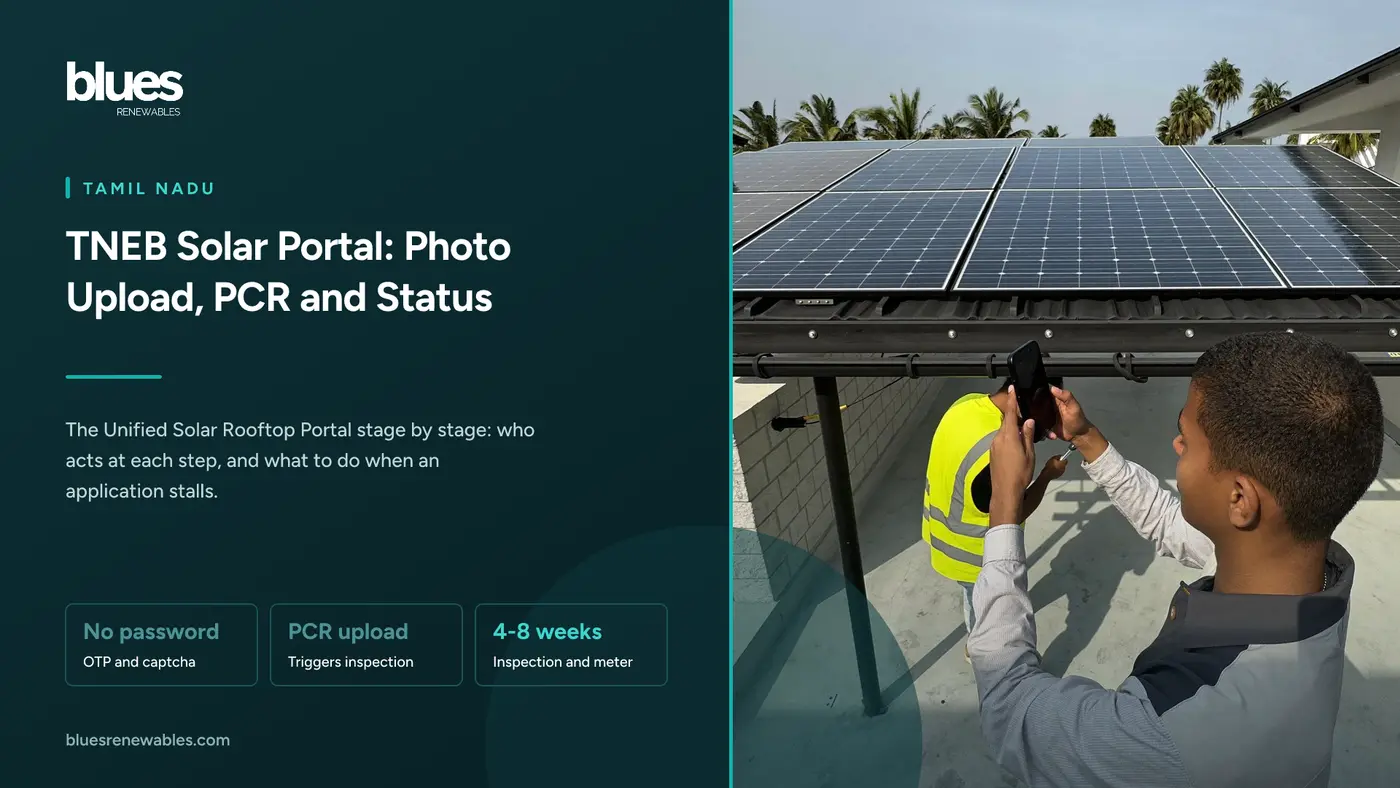
These go in through the USRP menu item "Net meter Agreement, Plant photo, DCR Details-Upload". You enter the application reference number and a captcha, then upload. Search engines index this same page as "PCR Upload", and the 2020 version of the portal called it "Upload PCR".
The portal does not spell out PCR. TANGEDCO's 2021 operating procedure lists a "work completion report" submitted once the system is ready, and PCR is usually read as the project completion report. Either way, this upload tells TNPDCL the plant is ready for inspection.
That is why "PCR update" matters for the subsidy. The chain is fixed: PCR upload, inspection, net meter, commissioning, central subsidy, then state top-up. A missing or rejected photo stops everything after it. The Assistant Engineer inspects systems up to 10 kW; above 10 kW, CEIG approval is also required.
Reading your application status
On the Unified Solar Rooftop Portal, open "Application Status" and choose "With Application Number" or "With Mobile Number". No login is needed. For PM Surya Ghar applicants, TNPDCL says status shows on the national portal first, and on USRP once the application reaches TNPDCL. Check both.
TNPDCL has not published its status labels, so the middle column describes the stage, not the exact wording.
- National application - Who acts: Consumer, What you see: NP reference number on PM Surya Ghar, Typical time: 1 day, What to do if stuck: Check the consumer number and DISCOM selected
- TNPDCL reference and registration - Who acts: Consumer or vendor, What you see: TNPDCL reference; application listed for estimation, Typical time: Same day, What to do if stuck: Re-enter the NP number in the exact format; pay the fee
- Estimation and feasibility - Who acts: TNPDCL, What you see: Application with AE; feasibility above 3 kW only, Typical time: 2 to 3 weeks, What to do if stuck: Call your section office with the TNPDCL reference
- Agreement and installation - Who acts: Consumer and vendor, What you see: Agreement awaiting your approval on PM Surya Ghar, then installation details, Typical time: Install takes 1 to 3 days, What to do if stuck: Approve or reject the agreement from your own login
- Plant photo, DCR and PCR upload - Who acts: Consumer or vendor, What you see: SMS asking for documents, Typical time: Days, if files are ready, What to do if stuck: Upload through the Net meter Agreement page; resize large files
- Inspection, meter and commissioning - Who acts: TNPDCL, plus CEIG above 10 kW, What you see: Meter fitted; connection converted to a solar service, Typical time: 4 to 8 weeks, the longest stage, What to do if stuck: See our net metering delays guide
- Central subsidy - Who acts: Consumer, then REC and MNRE, What you see: Bank details requested; credit via DBT, Typical time: 30 to 45 days after commissioning, What to do if stuck: See PM Surya Ghar subsidy not received
- State top-up - Who acts: TEDA, What you see: Credit to the same account, Typical time: 7 to 15 days after central credit, per the portal, What to do if stuck: Wait for the central credit first
From survey to commissioning, most Chennai homes take 6 to 10 weeks.
Common errors
- No OTP. The OTP goes to the mobile number on your TNPDCL service connection. If that number is old, update it with TNPDCL before you apply.
- Consumer number rejected. The non-subsidy form wants the consumer number with the region code.
- Upload fails. Files are usually too large. Compress photos below 2 MB.
- Name mismatch. The name on PM Surya Ghar, the electricity bill and the bank account should match.
- Wrong tracker. TANGEDCO's new service connection status page is a different system and will not show a solar application.
For portal problems, TNPDCL lists Minnagam on 1912 and WhatsApp 94987 94987; the PM Surya Ghar helpline is 15555.
Frequently asked questions
What is the TNEB solar portal?
TNPDCL's Unified Solar Rooftop Portal at tnebltd.gov.in/usrp/, used for rooftop solar applications, uploads and status checks.
Is there a TANGEDCO solar portal login for consumers?
No. Consumers use a reference number or consumer number with an OTP and a captcha. The login page offers only TNPDCL and NCES staff roles.
Do I apply on USRP or on PM Surya Ghar?
For the subsidy, start on pmsuryaghar.gov.in, then generate a TNPDCL reference number on USRP. Without a subsidy, apply directly on USRP.
How do I check my TNEB solar application status?
Open "Application Status" on USRP and search by application number or mobile number. PM Surya Ghar applicants should also check the national portal.
Where do I upload the solar plant photo?
Under "Net meter Agreement, Plant photo, DCR Details-Upload" on USRP, using your application reference number. Your vendor often does this for you.
What does PCR update mean for my subsidy?
It means the completion details and plant photo are uploaded. Inspection, net metering and commissioning follow, and both subsidies depend on commissioning.
Do I need to apply separately for the Tamil Nadu top-up?
No. It is paid from PM Surya Ghar data to eligible homes registered on or after 5 August 2026.
Where this fits
For the net meter itself, including billing and delays, see the TANGEDCO net metering application. For the central subsidy, see the PM Surya Ghar subsidy guide, and if it is late, PM Surya Ghar subsidy not received. To pick an installer, start with the PM Surya Ghar vendor list.
Blues Renewables has installed rooftop solar across Chennai and Tamil Nadu since 2020. We file the PM Surya Ghar and Unified Solar Rooftop Portal applications for our customers, handle the photo and PCR upload, follow up until the meter is fitted, and include two years of free maintenance. If your application has stalled, send us the reference number and we will tell you where it is stuck.
Call +91 98841 07170.
Sources
- TNPDCL, Unified Solar Rooftop Portal homepage and menus, last updated 24 September 2026, viewed 29 September 2026: menu labels, status options, login roles, subsidy table, state top-up flow and the 7 to 15 day claim, helplines
- TNPDCL, USRP FAQ page, viewed 29 September 2026: two application routes, where to track status, feasibility waived up to 3 kW, AEE and CEIG inspection thresholds
- TNPDCL, "Apply for Rooftop Solar (PM Surya Ghar)" process guide on USRP: the NP and TNPDCL reference steps, AE and EE routing, the SMS for DCR, agreement and photo uploads, metering by AE or MRT
- TANGEDCO Technical Branch, salient features circular, 30 December 2021: ₹500 LT registration fee and the operating procedure listing the work completion report
- TNPDCL, vendor empanelment note on USRP: empanelment through CE/NCES, five-year maintenance, ₹2.5 lakh bank guarantee
- Internet Archive captures of USRP, November 2020 and August 2025: the portal's original name, the "Upload PCR" menu item and document size limits
- DT Next, 21 September 2026: relaunch of the portal, application and installation counts, status tracking
- Dinamalar, 22 September 2026: portal contents including scheme details, subsidy information, installation process, status and recognised vendors
- SolarBytes, 24 September 2026: launch date, eligibility from 5 August 2026 and the ₹50 crore allocation
- SolarQuarter and Mercom India, 24 September 2026: mandatory consumer approval of vendor agreements on the PM Surya Ghar portal