How to Cancel a Rooftop Solar Application or Remove Solar in Tamil Nadu (TNEB, 2026)
How to cancel a solar rooftop application on the national portal or with TNPDCL, change vendor instead, or convert a solar service back to normal service.

In August 2026, MNRE took 66 PM Surya Ghar vendors off the vendor-selection page for a month. They had piled up applications marked "Agreement Uploaded" far beyond what they could install, and the ministry told every vendor not to hold a consumer's application for more than 60 days without a valid reason.
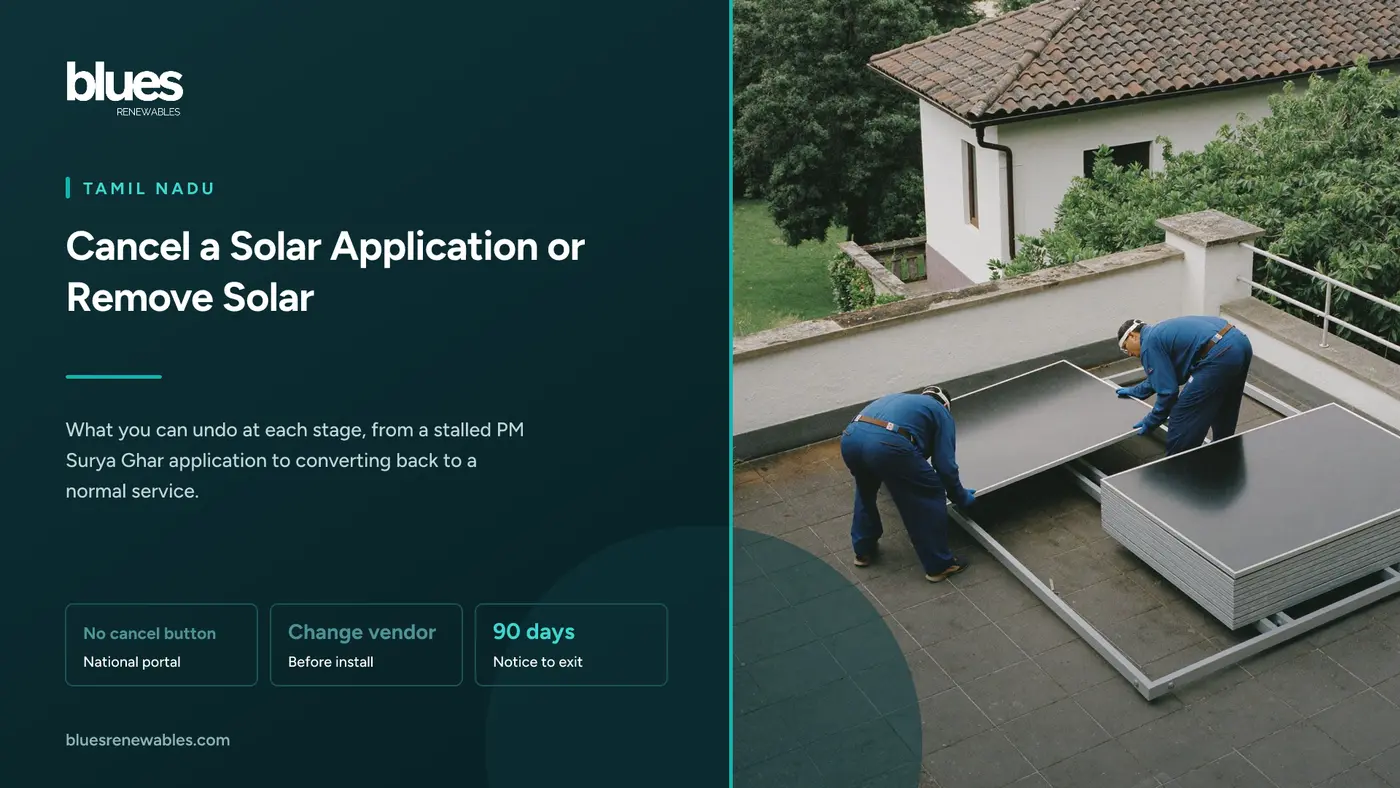
If your vendor has gone quiet, you are not alone, and cancelling is often the wrong fix. Neither the national portal nor TNPDCL's portal publishes a "cancel application" step. What you can do depends on where your application sits.
This guide covers each stage, what to try first, and what happens to the subsidy. The portal walkthrough and the complaint route have their own guides, linked below.
Key takeaways
- There is no published cancel button on the PM Surya Ghar consumer login or on TNPDCL's Unified Solar Rooftop Portal (USRP). MNRE's guidelines describe dormant applications you can reactivate, not cancelled ones.
- Changing the vendor is usually the better move. The national portal's consumer manual lets you re-select the vendor until installation details are submitted.
- The model vendor agreement has no cancellation or refund clause. Getting an advance back depends on what you wrote into it.
- After commissioning, USRP has an "Apply for Solar to normal service" request, and the TANGEDCO connection agreement ends on 90 days' notice, after which the plant must be disconnected.
- The subsidy is paid once per installation. We found no lock-in or recovery clause in MNRE's guidelines or Tamil Nadu's top-up order, but a relocated system gets no fresh subsidy.
How cancelling a rooftop solar application works in Tamil Nadu
A subsidised home application lives in two places. The PM Surya Ghar national portal holds your national reference number (NP-TNGD26-XXXXXXXX), the vendor, the agreement and the subsidy. TNPDCL's USRP holds the TNPDCL reference, estimate, inspection and net meter.
- Registered, no vendor yet - What you can do: Stop; the application goes dormant and can be reactivated, Money at stake: ₹500 TNPDCL registration fee, if paid, Subsidy position: Nothing claimed
- Vendor selected, agreement not approved - What you can do: Reject the agreement, or re-select a vendor, Money at stake: Any booking amount, Subsidy position: Nothing claimed
- Agreement approved, not installed - What you can do: Re-select a vendor; settle the advance, Money at stake: The advance, per your agreement, Subsidy position: Nothing claimed
- Installed, not commissioned - What you can do: Fix the blocker with the vendor; re-selection has closed, Money at stake: What you have paid or still owe, Subsidy position: Paid only after commissioning
- Commissioned, net meter fitted - What you can do: Request conversion to normal service; give 90 days' notice, Money at stake: The system and any export credit, Subsidy position: Already paid once
Before you cancel: if your vendor has gone quiet
Most cancellation searches start with a silent vendor. Try these first.
Check both statuses. If the national portal has shown "Agreement Uploaded" for two months with no installation, the vendor is holding your file, the exact practice MNRE's August notice targeted. Our TNEB solar portal guide explains the USRP side.
Put it in writing. Ask the vendor for an installation date within a fixed number of days, and keep a screenshot.
Raise a grievance. MNRE's June 2026 procedure for vendor violations covers incomplete installations despite payment and can deactivate the vendor. The route is in our PM Surya Ghar complaint guide.
Then decide. If nothing moves, change the vendor rather than cancel, unless you have decided against solar.
Changing the vendor instead of cancelling
The PM Surya Ghar National Portal consumer manual (version 1.1, July 2024) is clear: the consumer can re-select the vendor until the solar installation details are submitted, and the agreement can be re-uploaded. You keep your national and TNPDCL reference numbers. Only the vendor changes.
Once the old vendor uploads installation details, re-selection closes, so act quickly.
Since September 2026, you must also approve the vendor agreement from your own login before the vendor can upload installation details. If an agreement waiting for you has a price or terms you did not agree, reject it with remarks. Any change after approval voids that approval, so you review it again. Our note on the PM Surya Ghar agreement format lists what to check.
Settle money with the first vendor before you switch, because re-selecting on the portal does not end your contract with them. To choose the replacement, filter the PM Surya Ghar vendor list by your district.
Cancelling on the PM Surya Ghar national portal
MNRE's scheme guidelines do not describe a way for a consumer to cancel or withdraw an application, and the consumer manual has no step for it. The only "cancel" in the manual revokes a "Contact Me" request sent to a vendor.
The guidelines describe dormancy instead. MNRE may set a period after which an application is treated as dormant, and the applicant can reactivate it at any time through the consumer profile, within the scheme's limit of one crore active applications. So if you stop, your NP reference is what you come back to.
Two other options:
- Go ahead without the subsidy. The guidelines include a "Give It Up" option to forgo the central subsidy, which also frees you from the made-in-India module rule. Read TNEB solar CFA vs non-CFA before choosing.
- Ask for closure. If you want the record closed, raise a grievance from your consumer login and keep the ticket number. MNRE has not published how such requests are handled.
Cancelling the TNPDCL application before installation
USRP's service menu has no option to withdraw a pending application. The practical route is a short letter to the Assistant Engineer of your section office, quoting your TNPDCL reference and consumer numbers and asking for the solar application to be closed. Keep the acknowledged copy. TANGEDCO's operating procedure lists "termination" alongside the letter of approval as an outcome of the feasibility stage.
The registration fee for LT applications up to 20 kW is ₹500. TNPDCL publishes no refund rule for it, and its 2022 refund instruction for cancelled new service connection applications refunds other charges "except registration charges". Plan on the ₹500 not coming back.
After you have signed the vendor agreement
MNRE's model agreement (Annexure 2 of the guidelines) has no cancellation or refund clause. Price and payment terms are left for you and the vendor to fill, with milestone payments allowed. Clause 16 says disputes are settled mutually or as per law, and MNRE and the DISCOM will not be parties.
So check three things:
- Your payment clause. If payments are tied to delivery, installation and commissioning, the vendor has not earned money for stages it has not done. Quote the clause in your written refund request.
- Delivered material. You must store delivered material securely until handover, and the vendor insures it before commissioning. If panels are already on your roof, agree in writing who collects them and when.
- Escalation. A portal grievance pressures a registered vendor. Beyond that, the agreement points to the law: a legal notice, then the District Consumer Disputes Redressal Commission.
After commissioning: converting solar back to normal service
Once TNPDCL fits the bidirectional meter, your connection becomes a solar service. Removing solar means converting it back.
The USRP "Solar to normal service" request
On USRP, open "Apply Solar Services", then "Apply for Solar to normal service". The page, headed "Conversion from Solar service to normal service", asks for:
Your consumer number with the region code (the page links to a region code list).
The mobile number registered on the connection, which receives an OTP.
The captcha.
TNPDCL does not publish what follows, how long it takes, or whether a fee applies.
The 90-day notice in your TNPDCL agreement
The connection agreement TANGEDCO prescribes for rooftop solar (Annexure H of its December 2021 circular) runs for 25 years. You can end it at any time with 90 days' prior notice, or earlier by mutual consent. On termination you must disconnect the plant "in a timely manner and to TANGEDCO's satisfaction". TNPDCL, for its part, can terminate on 30 days' notice for an unremedied breach, or 15 days' for unpaid dues or malpractice.
TNPDCL has not said whether the online request counts as notice. Submit it, and also give the section office written notice citing the agreement.
The bidirectional meter and your credit
TNPDCL has not published whether it replaces the bidirectional meter on conversion, or at what cost. Ask when you give notice.
Settle export credit before the switch. On net metering, surplus units carry forward only until 31 March and then lapse. On net feed-in, the credit carries forward and on 31 March you can take payment for it. Converting just after 31 March avoids losing a balance. Our guide to why the bill is not zero after solar explains the settlement.
What happens to the subsidy if you remove solar
We read MNRE's PM Surya Ghar guidelines for residential consumers, including the July 2025 amended version, and Tamil Nadu's G.O.(Ms) No.102 of 19 September 2026 for the state top-up. Neither sets a minimum period the system must stay installed, and neither has a clause for recovering the subsidy if it is later removed. The state order ties its top-up to successful installation, commissioning and verification.
Two rules do apply. An installation gets central subsidy only once, and a system shifted to a new location is not eligible. So removing a subsidised system costs you its future savings and any future subsidy on that hardware, but on the published rules, not a repayment.
Your vendor's five years of maintenance and system warranty also run from commissioning on that roof. Dismantling and refitting is new work, so get the vendor's position in writing first. See our guide to solar panel warranty claims.
Selling the house, or moving the panels
Selling with solar. The plant stays with the roof and the service connection. The central subsidy is paid to the bank account on the application, so it stays with the original applicant, and the buyer cannot claim it again. TNPDCL has not published whether a name transfer carries the solar agreement across, so the buyer should ask the section office during the transfer. Hand over the vendor agreement, warranty cards and commissioning papers with the keys.
Taking the panels with you. Convert the old service to normal first. At the new house, apply on USRP through "Apply for Other than PMSGY Scheme", since relocated systems get no subsidy, and check the sanctioned load limit first.
When you only need the panels off for a while
Adding a floor or redoing waterproofing does not require cancelling anything. Have the installer isolate the system, dismantle and store the panels, and refit them after the work; your solar service stays as it is. If the reason is a leak, read will solar panels make my roof leak first.
If the real problem is the billing method, USRP's "Apply for Scheme change" covers domestic services; see net metering vs net feed-in.
Frequently asked questions
How do I cancel my solar rooftop application online?
Neither the PM Surya Ghar portal nor TNPDCL's USRP publishes a cancel option. If the problem is the vendor, re-select one from your national portal login before installation details are submitted. To close the TNPDCL side, write to your section office.
How do I cancel a solar application on the national portal?
MNRE's guidelines describe applications becoming dormant and being reactivated later, not cancellation. To have the record closed, raise a grievance from your consumer login.
Is the ₹500 TNPDCL registration fee refundable?
TNPDCL publishes no refund rule for it. Its refund instruction for cancelled new service connection applications excludes registration charges, so do not count on it.
Can I change my PM Surya Ghar vendor after selecting one?
Yes, until the installation details are submitted, according to the national portal's consumer manual. Settle any advance with the first vendor in writing first.
How do I convert my solar service back to normal service in TNEB?
Use "Apply for Solar to normal service" on USRP with your consumer number and region code, and verify with the OTP. Also give the section office written notice, since the agreement requires 90 days.
Do I have to return the subsidy if I remove my solar panels?
We found no recovery clause or lock-in period in MNRE's guidelines or Tamil Nadu's top-up order. The subsidy is paid once per installation, and a relocated system gets none.
What happens to my solar connection when I sell the house?
The plant stays with the house and the subsidy with the original applicant. The buyer should ask TNPDCL during the name transfer whether the solar agreement must be signed again.
Where this fits
For portal statuses and uploads, see the TNEB solar portal guide; for escalating a vendor, the PM Surya Ghar complaint guide. For the net meter process, read the TANGEDCO net metering application, and if a commissioned system's subsidy is late, PM Surya Ghar subsidy not received.
Blues Renewables has installed rooftop solar across Tamil Nadu from its Chennai base since 2020, for homes from 3 kW upward. If your vendor stopped answering before installation, send us your national and TNPDCL reference numbers and we will tell you where the application stands. If you re-select us on the portal, we take it from survey to commissioning, handle the USRP uploads, and include two years of free maintenance from commissioning.
Call +91 98841 07170.
Sources
- Ministry of New and Renewable Energy, Guidelines for PM-Surya Ghar: Muft Bijli Yojana, Central Financial Assistance to Residential Consumers, viewed 1 October 2026: subsidy once per installation and none for relocated systems (para 5(o)), the "Give It Up" option (para 5(p)), subsidy paid to the consumer's bank or loan account (para 6(s)), dormant applications and reactivation (para 8(b)); no lock-in or recovery clause found
- Ministry of New and Renewable Energy, PM Surya Ghar guidelines as amended, July 2025, viewed 1 October 2026: checked for cancellation, lock-in or recovery provisions; none found
- Ministry of New and Renewable Energy, Annexure 2, Model Draft Agreement between Consumer and Vendor: consumer storage duty, vendor insurance before commissioning, price and payment left to the parties (clauses 15 and 19), dispute clause 16 and the disclaimer
- PM Surya Ghar National Portal, Master Manual for RTS, version 1.1, 21 July 2024: vendor can be re-selected until installation details are submitted; "Cancel" revokes a "Contact Me" request
- TANGEDCO Technical Branch, salient features of TNERC Order 8/2021, circular of 30 December 2021: Annexure H clauses 4.3 and 8.1 to 8.5 (25 years, 90 days' notice by the consumer, 30 and 15 day termination by the licensee, disconnection on termination), Annexure I listing termination at the feasibility stage, ₹500 LT registration fee, 31 March settlement under net metering and net feed-in
- TNPDCL, Unified Solar Rooftop Portal, last updated 24 September 2026, viewed 1 October 2026: service menu with no withdrawal option, "Conversion from Solar service to normal service" page fields, "Apply for Scheme change", "Apply for other than PMSGY Scheme"
- TANGEDCO Technical Branch, Memo dated 2 August 2022 on refund of charges for online LT applications: registration charges excluded from refunds on cancelled new service connection applications
- Government of Tamil Nadu, Energy Department, G.O.(Ms) No.102, 19 September 2026: state top-up tied to installation, commissioning and verification for homes registered from 5 August 2026; no recovery clause
- Saur Energy and Energetica India, 26 August 2026: MNRE deactivation of 66 vendors for hoarding "Agreement Uploaded" applications, and the 60-day advice to vendors
- Energetica India, 24 June 2026: MNRE procedure for vendor violations, including incomplete installations despite payment, and vendor deactivation
- The Battery Magazine and Saur Energy, September 2026: mandatory consumer approval of the vendor agreement, rejection remarks, installation upload disabled until approval, re-approval after changes